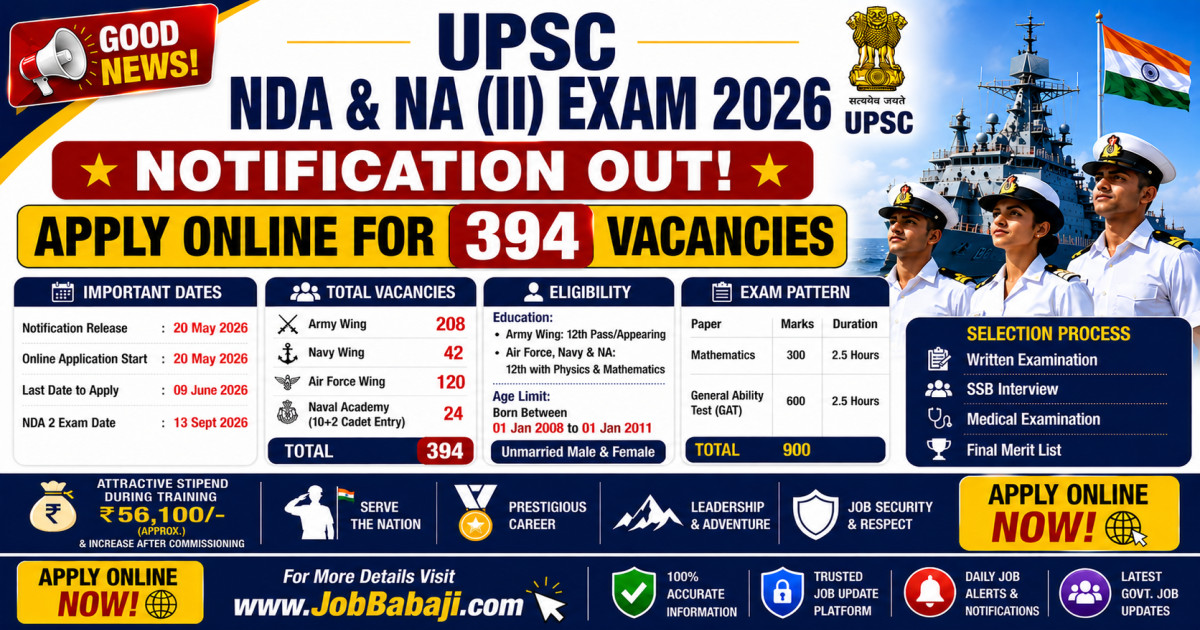
UPSC NDA & NA 2nd Exam 2026 Notification Out: Apply Online for 394 Vacancies, Check Eligibility & Exam Date | www.JobBabaJi.com

VIEW JOB DETAILS

UPSC NDA & NA 2nd Exam 2026 Notification Out: Apply Online for 394 Vacancies, Check Eligibility & Exam Date

Post Updated On : May 24, 2026 | 06:44 PM
Application Start Date : May 20, 2026⚠️ Apply Online Last Date : June 9, 2026

Short Information

Short Information : Union Public Service Commission (UPSC) | Union Public Service Commission (UPSC) has officially released the exam notice for the National Defence Academy and Naval Academy Examination (II), 2026. This is a golden opportunity for unmarried male and female candidates who wish to join the Indian Armed Forces (Army, Navy, and Air Force) as commissioned officers.Eligible candidates can apply online through the official UPSC portal before the closing date. Below is everything you need to know about the NDA 2 Exam 2026, including important dates, vacancy breakdowns, eligibility criteria, and the application process.

Union Public Service Commission (UPSC)

UPSC NDA 2 Exam 2026 Online Form 394 Posts [Apply Now]

Advt No. : UPSC NDA : 10/2026-NDA-II | Short Details

WWW.JOBBABAJI.COM

Important Deails

Application Fee

  • Online Application Form Start Date : 20.05.2026
  • Registration(Apply Online) Last Date : 09.06.2026
  • Last Date for Fee Payment : 09.06.2026
  • Exam Date : 13.09.2026
  • Admit Card Release Date : Notified soon
  • General / OBC / EWS : 100/
  • SC / ST / PH : 0/-
  • All Category Female : 0/-

Payment Mode

  • Pay the Examination Fee Through Debit Card, Credit Card, Net Banking or Pay Offline Through E Challan

UPSC NDA 2 Exam 2026 | Post Wise Vacancy Details (Total: 394)

Exam Name

Wing

No. of Posts

National Defence Academy

Army

208 (including 10 for female candidates)

Navy

42 (including 05 for female candidates)

Air Force

  1. Flying - 92 (including 02 for female candidates)

  2. Ground Duties (Tech) - 18 (including 02 for female candidates)

  3. Ground Duties (Non Tech) - 10 (including 02 for female candidates)

Naval Academy (10+2 Cadet Entry Scheme)


24 (including 03 for female candidates)

Total Post

394

UPSC NDA 2 Exam 2026 | Eligibility Criteria & Age 

Candidates must fulfill the following nationality, age, and educational requirements to be considered eligible.

1. Age Limit, Gender & Marital Status

  • Marital Status: Only unmarried male and female candidates are eligible. Candidates must undertake not to marry until they complete their full training.
  • Age Bracket: Candidates must be born not earlier than January 1, 2008, and not later than January 1, 2011.

2. Educational Qualifications

  • For Army Wing of NDA: 12th Class pass of the 10+2 pattern of School Education or equivalent examination from a recognized State Education Board or University.
  • For Air Force & Naval Wings (and 10+2 Cadet Entry at INA): 12th Class pass with Physics, Chemistry, and Mathematics (PCM) of the 10+2 pattern or equivalent.
  • Appearing Candidates: Students currently studying in the 12th class are also eligible to apply. However, 11th-class students are not eligible.

UPSC NDA 2 Exam 2026 | Scheme & Syllabus of Examination

The UPSC NDA II selection process consists of a Written Examination (900 marks) followed by an SSB Test/Interview (900 marks).

Written Exam Structure:

  1. Paper I: Mathematics (Code 01)

    • Duration: 2½ Hours
    • Maximum Marks: 300
  2. Paper II: General Ability Test (GAT) (Code 02)

    • Duration: 2½ Hours
    • Maximum Marks: 600 (English: 200 Marks | General Knowledge: 400 Marks)

Penalty for Wrong Answers: There is a Negative Marking of one-third (0.33) of the marks assigned to that specific question for every wrong answer marked in the OMR sheet. Only a black ball pen is permitted for writing and marking answers.

UPSC NDA 2 Exam 2026 How to Apply for UPSC NDA II 2026

Candidates must apply online only via the official website or direct updates on JobBabaji.com. No other mode of application will be accepted. (उम्मीदवारों को केवल आधिकारिक वेबसाइट या JobBabaji.com पर दिए गए सीधे लिंक के माध्यम से ही ऑनलाइन आवेदन करना होगा। आवेदन का कोई अन्य माध्यम स्वीकार नहीं किया जाएगा।)

  1. Visit the official application portal or JobBabaji.com: Go to the UPSC Online Portal or visit JobBabaji.com for the direct application link. (आधिकारिक आवेदन पोर्टल या JobBabaji.com पर जाएं: UPSC Online Portal पर जाएं या सीधे लिंक के लिए JobBabaji.com पर विजिट करें।)
  2. Complete URN Profile: Complete your Universal Registration Number (URN) profile if you are a first-time user via One-Time Registration. (URN प्रोफाइल पूरा करें: यदि आप पहली बार यूजर हैं, तो वन-टाइम रजिस्ट्रेशन (One-Time Registration) के माध्यम से अपना यूनिवर्सल रजिस्ट्रेशन नंबर (URN) प्रोफाइल पूरा करें।)
  3. Fill the CAF: Fill out the Common Application Form (CAF) carefully. (CAF भरें: कॉमन एप्लीकेशन फॉर्म (CAF) को ध्यानपूर्वक भरें।)
  4. Live Photo Capture: You must upload a photograph and also capture a live photograph on the portal. Ensure both are clear. (लाइव फोटो कैप्चर: आपको एक फोटो अपलोड करनी होगी और पोर्टल पर एक लाइव फोटो भी कैप्चर करनी होगी। सुनिश्चित करें कि दोनों फोटो बिल्कुल साफ हों।)
  5. Signature Upload: Sign three times vertically (one below the other) on plain white paper using black ink and upload it. (हस्ताक्षर अपलोड: एक सादे सफेद कागज पर काली स्याही (Black Ink) से सीधे रूप में तीन बार (एक के नीचे एक) हस्ताक्षर करें और उसे अपलोड करें।)
  6. Submit Module & Fees: Fill out the Examination Specific Module, pay the application fee (if applicable), select your preferred exam center, and submit. (मॉड्यूल और शुल्क जमा करें: परीक्षा विशिष्ट मॉड्यूल (Examination Specific Module) को भरें, आवेदन शुल्क (यदि लागू हो) का भुगतान करें, अपने पसंदीदा परीक्षा केंद्र का चयन करें और सबमिट करें।)
 

Interested Candidates Can Read the Full Notification Before Apply Online.

🔗 Quick & Direct Links: Apply Online, Download & Official Notification

Apply Online

Download Notification

Crop & Resize Image  |  Birth Day Calculator  |  Image to PDF  |  Add Photo, Name & DOB

Join Our Official Channel to Get Instant Job Alerts

Official Website

For any Query and Feedback Contact us - jobbabajee@gmail.com

UPSC NDA II Apply Online 2026 Job Banner

UPSC NDA & NA 2nd Exam 2026 Notification Out: Apply Online for 394 Vacancies, Check Eligibility & Exam Date



Please Disable Ad Blocker

Your ad blocker is enabled. Please disable it to continue.

हम अपनी वेबसाइट को आपके लिए मुफ्त रखने के लिए विज्ञापनों पर निर्भर हैं।

×

Which of these extensions do you have?

Browser image for the AdBlock extension
  1. Click the AdBlock icon AdBlock image in the browser extension area on the upper right-hand corner. (You may see a small number covering part of the icon.)
  2. Select Don't run on pages on this site.
  3. In the "Don’t run AdBlock on..." dialog box, select Exclude. The AdBlock icon changes to a 👍 (thumbs up) image.
Browser image for the AdBlock Plus extension
  1. Click the Adblock Plus icon AdBlock Plus image in the browser extension area on the upper right-hand corner. (You may see a small number covering part of the icon.)
  2. Click the “power” button so that it slides left.
  3. Click the Refresh Page button.
Browser image for the uBlock Origin extension
  1. Click the uBlock Origin icon uBlock Origin image in the browser extension area on the upper right-hand corner. (You may see a small number covering part of the icon.)
  2. Click the “power” button . It turns gray, indicating that ads on that site are no longer being blocked.
  3. Click the Refresh Page button.
  1. Click the icon of the ad blocker extension installed on your browser.
    You’ll usually find this icon in the upper right-hand corner of your screen. You may have more than one ad blocker installed.
  2. Follow the instructions for disabling the ad blocker on the site you’re viewing.
    You may have to select a menu option or click a button.
  3. Refresh the page, either by following prompts or clicking your browser’s “refresh” or “reload” button.